




 Indietro















Netskope Threat Research Labs has detected new ransomware named Spider propagating in a mid-scale campaign. This ongoing campaign, identified on the 10th December, uses decoy Office documents which usually arrive as email attachments. These attachments are auto-synced to the enterprise cloud storage and collaborations apps. Netskope Threat Protection detects the decoy document as “VB:Trojan.VBA.Agent.QP” and the downloaded payload as “Trojan.GenericKD.12668779” and “Trojan.GenericKD.6290916”.
Attack Topology
The campaign’s attack vector begins with an Office document written in the Bosnian language which in all probability indicates that the threat actor is targeting or interested in the Bosnia and Herzegovina region. The decoy document we observed is shown in Figure 1.
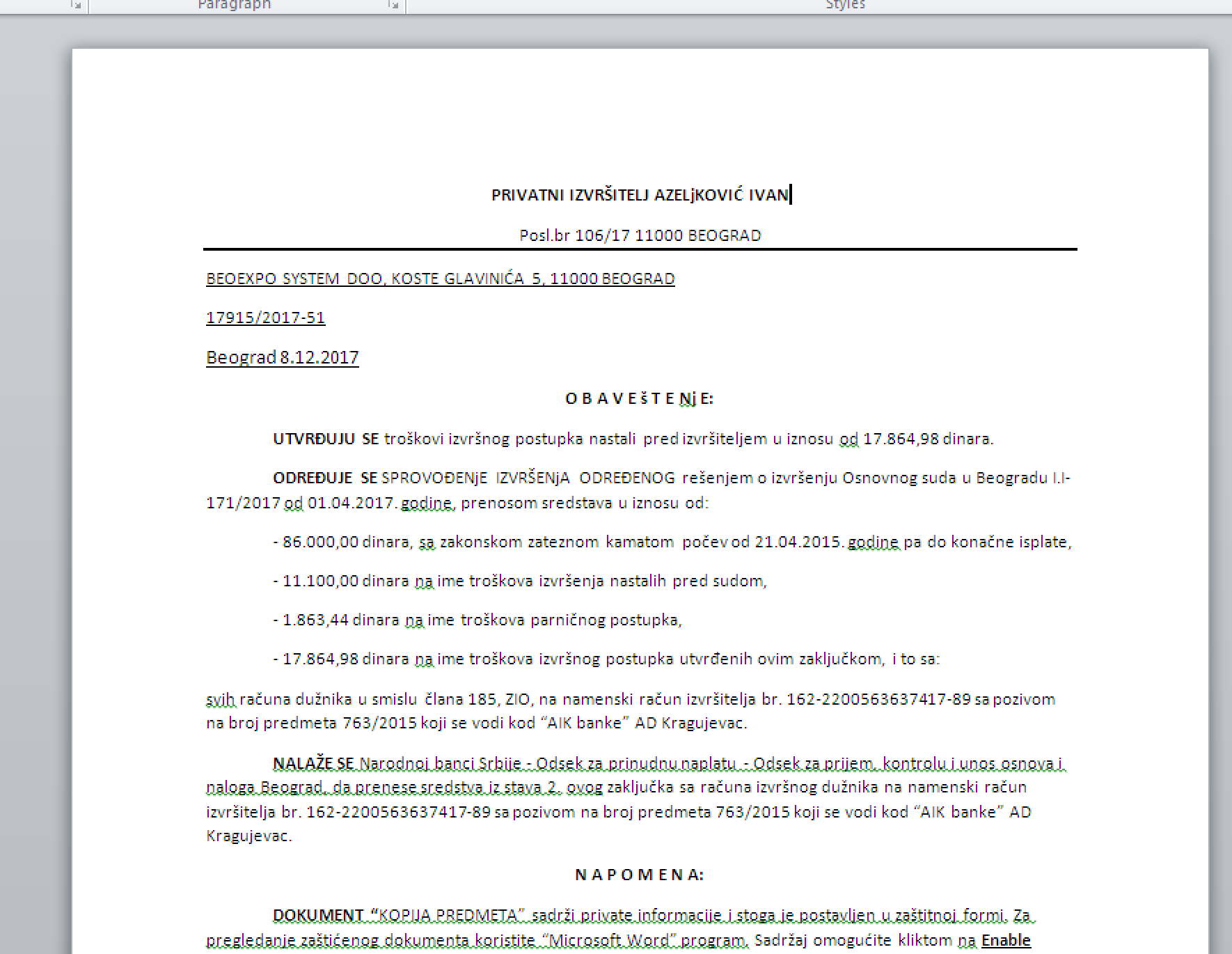
Figure 1: Decoy Office Word document sent in the Spider Campaign.
The decoy Office document contains an obfuscated macro code, which launches the PowerShell to download the malicious payload as shown in Figure 2.

Figure 2: PowerShell downloading payloads from yourjavascript.com
The payloads are Base64 encoded and hosted on the website – ‘yourjavascript.com,’ which is a free JavaScript hosting website.
Analysis of the payloads
After downloading the payloads, the PowerShell script decodes the Base64 string and performs XOR operation with the key ‘AlberTI’ to decode the final payloads, which is later saved into executable (.exe) files. The decoded payloads named ‘dec.exe’ and ‘enc.exe’ compiled in .NET are copied to the ‘%APPDATA% /Spider’ directory.
Spider ransomware
The file ‘enc.exe’ is the ransomware encryptor, while ‘dec.exe’ works as the Decryptor.Dec.exe displays the user interface for warning message and to decrypt the files using a decryption key. Spider ransomware also copies two text files ‘files.txt’ and ‘id.txt’ respectively inside the ‘%APPDATA% /Spider’ directory along with the executables as shown in Figure 3.
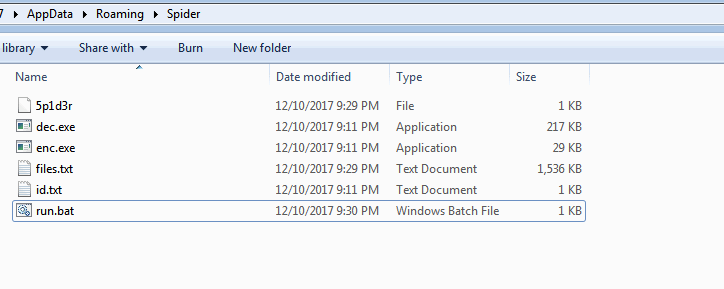
Figure 3: Spider ransomware dropped files
PowerShell launches the ransomware decryptor, dec.exe with ‘spider’ argument and enc.exe file with ‘spider ktn 100’ arguments. Spider ransomware decryptor monitors the system processes and prevents opening of windows utility tools like taskmgr, procexp, msconfig, regedit, cmd, outlook, winword, excel, and msaccess as shown in Figure 4.
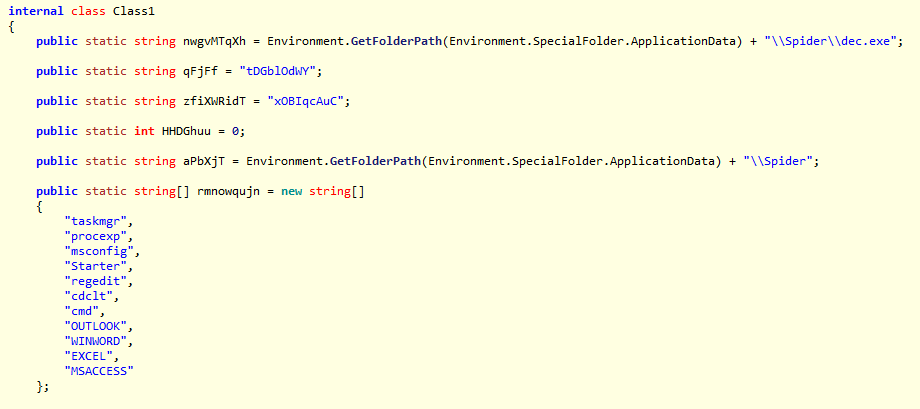
Figure 4: Spider ransomware anti-analysis tools checks
The payload ‘enc.exe’ then encrypts the user’s files and adds the ‘.spider’ extension as shown in Figure 5.
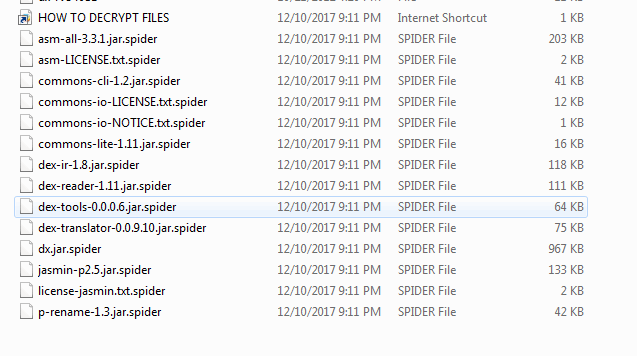
Figure 5: Spider ransomware encrypted files with .spider extension
Spider ransomware also maintains the list of files that it has encrypted in the ‘files.txt’ file under the Spider folder as shown in Figure 6.
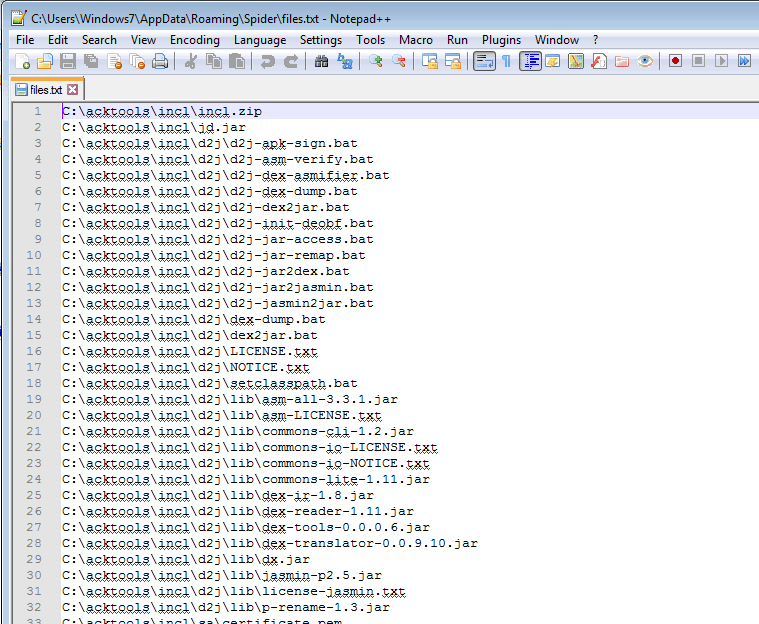
Figure 6: List of files that Spider ransomware has encrypted
Spider ransomware also copies a signature file ‘5p1d3r’ to the Spider folder. The content of the file is K.T.N Cr3w, which is most likely attributed to the creators of Spider ransomware as shown in Figure 7.
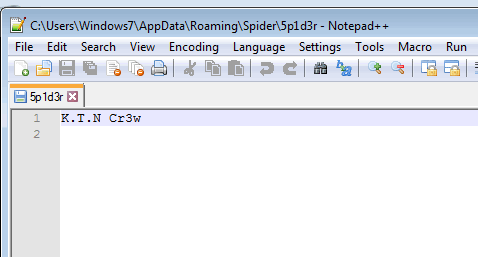
Figure 7: Spider ransomware signature file
Once Spider ransomware encrypts the files, a warning message is displayed. The warning message also provides language translation into its user interface as shown in Figure 8.
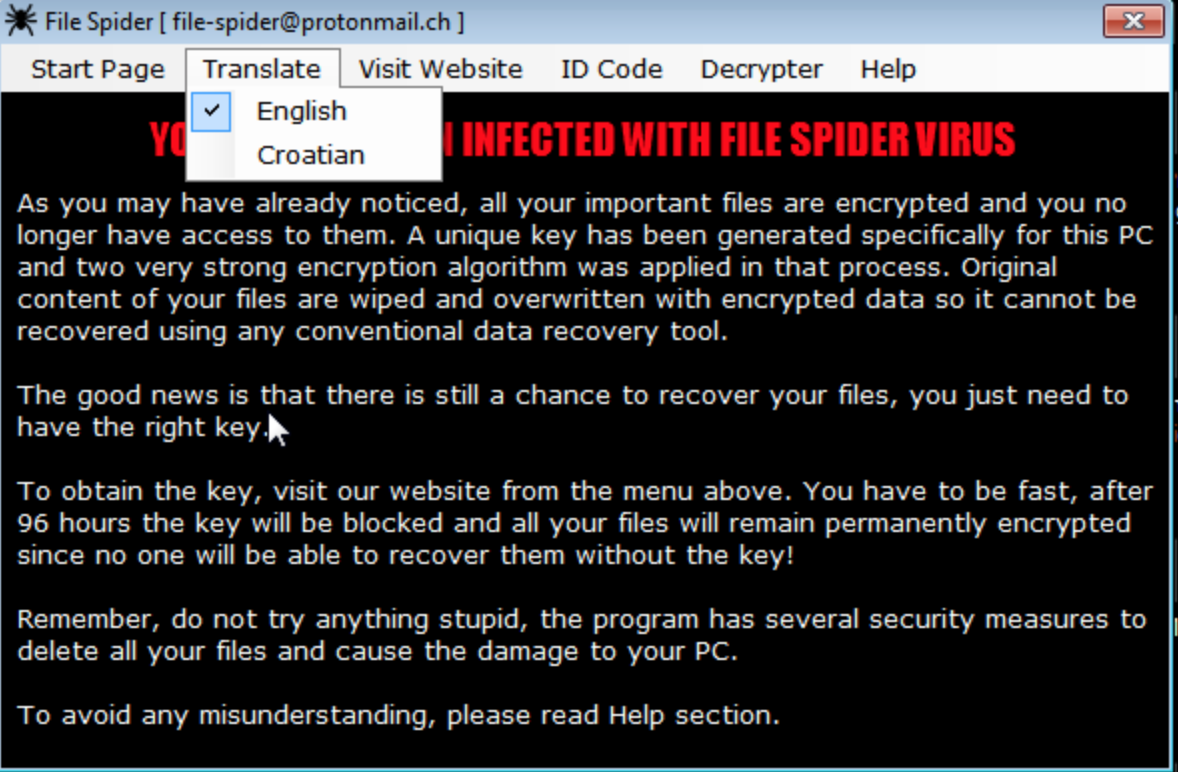
Figure 8: Warning message with language translation interface of Spider ransomware
The warning message provides a descriptive message on how to decrypt files as shown in Figure 9.
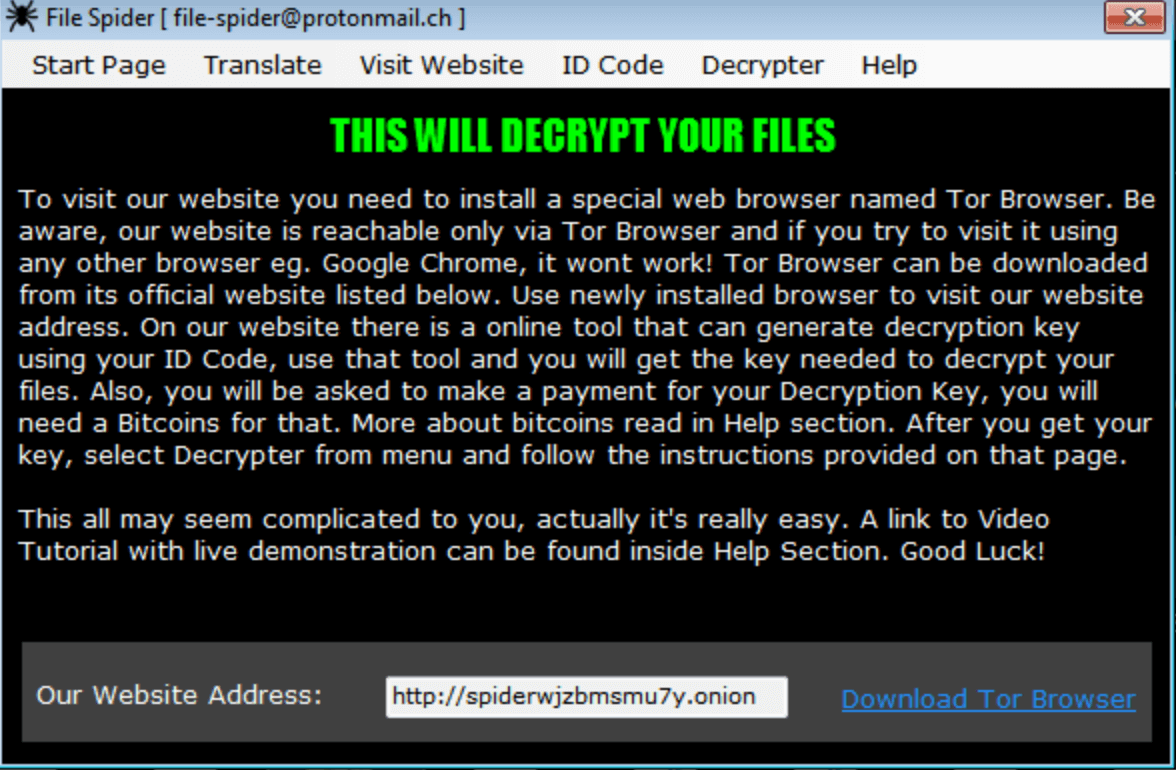
Figure 9: Decrypt file message of Spider ransomware.
It also provides a help section which contains the links and references to the resources needed to make the payment to the attacker as shown in Figure 10.
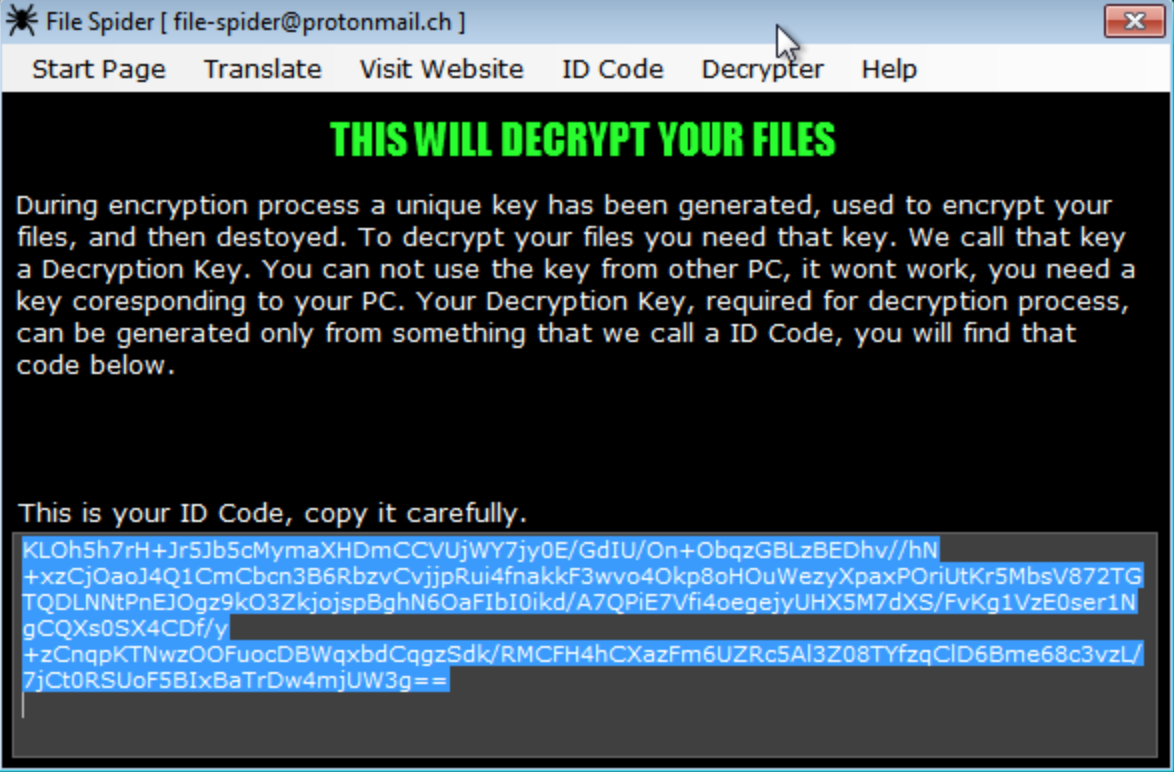
Figure 10: Help resources and ID required to get the decryption key of Spider ransomware
The interface for decrypting files once the decryption key is obtained is shown in Figure 11.
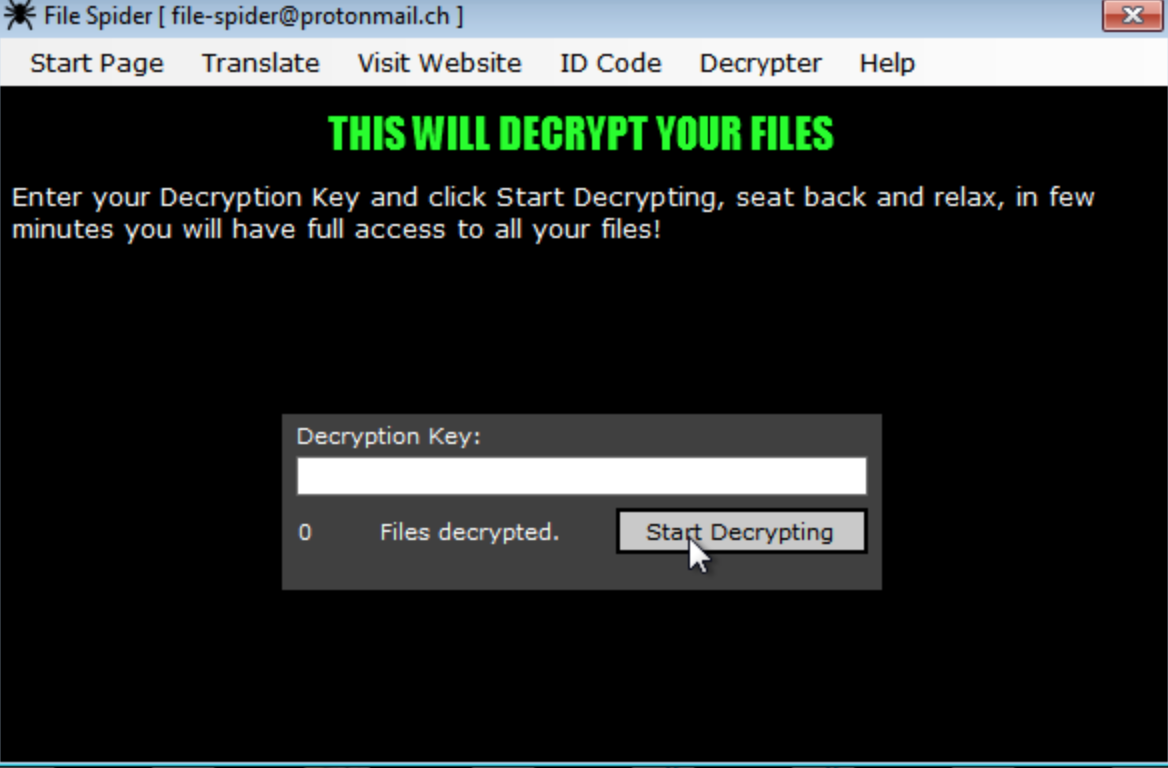
Figure 11: Decrypt files interface of Spider ransomware
Further research uncovered a video uploaded on vid.me as shown in Figure 12.
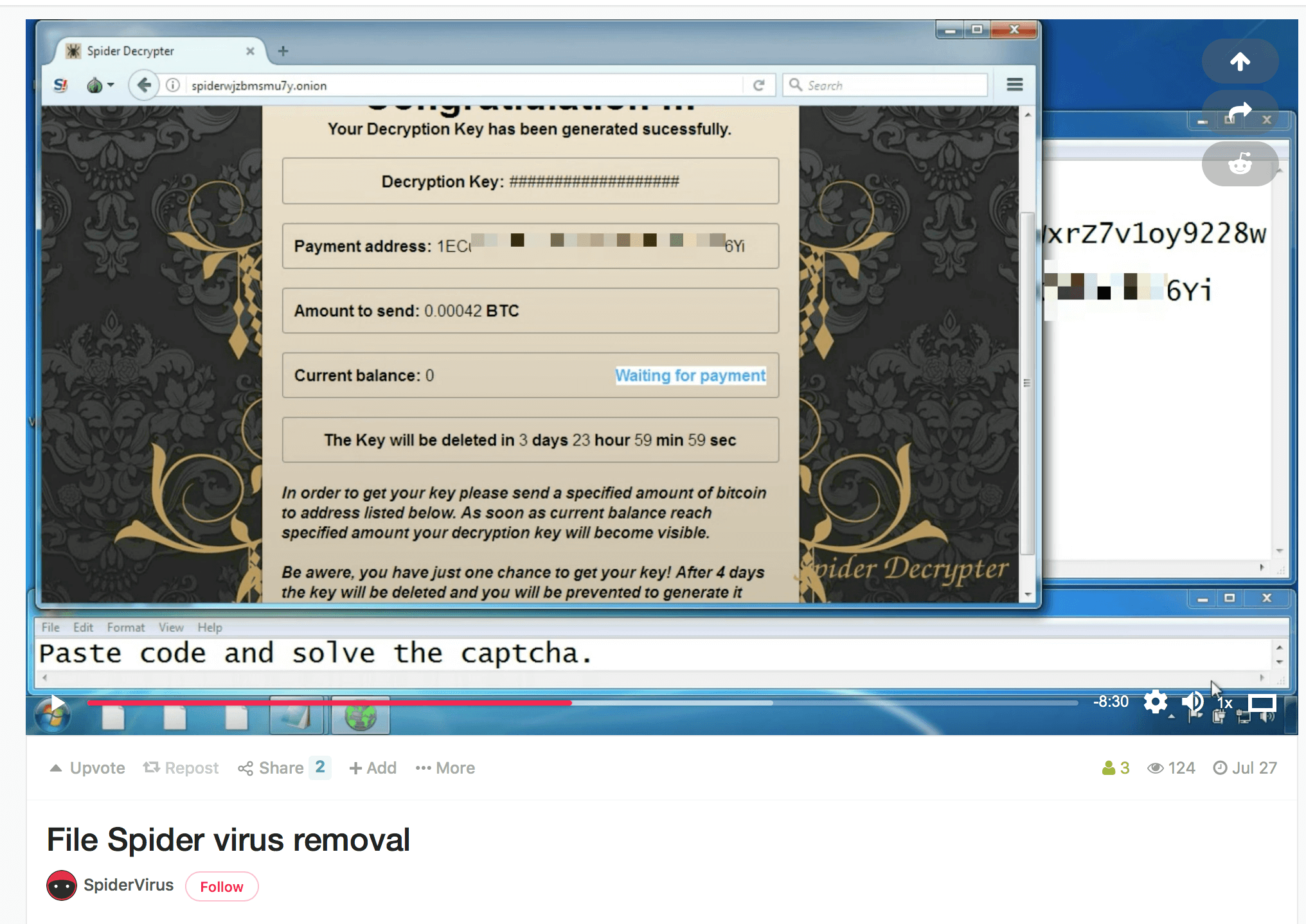
Figure 12. Video guide of Spider ransomware posted at https://vid[.]me/CGyDc
The video provides instructions to decrypt victims files. We suspect that the video was most likely uploaded by the threat actor group of Spider. Please note that the service vid.me itself will cease to exist on the 15th December.
Conclusion
Ransomware continues to evolve and prevail as a top threat to all verticals in many organizations. The addition of Spider ransomware as a new cob in the increasing ransomware web is a classic example. We continue to see an increase of decoy Office documents as an attack vector in spreading ransomware like GlobeImposter tied to several active and ongoing campaigns. As ransomware continues to evolve, administrators should educate employees about the impact of ransomware and ensure the protection of the organization’s data by making a regular backup of critical data. In addition to disabling macros by default, users must also be cautious of documents that only contain a message to enable macros to view the contents and also not to execute unsigned macros and macros from untrusted sources. Netskope Threat Research Labs will continue to monitor ransomware campaigns and provide updates as the campaign evolves.
General Recommendations
Netskope recommends the following to combat cloud malware and threats:
- Detect and remediate cloud threats using a threat-aware CASB solution like Netskope and deploy policies on usage of unsanctioned services as well as unsanctioned instances of sanctioned cloud services. Sample policies are as follows:
- Scan all uploads from unmanaged devices to sanctioned cloud applications for malware
- Scan all uploads from remote devices to sanctioned cloud applications for malware
- Scan all downloads from unsanctioned cloud applications for malware
- Scan all downloads from unsanctioned instances of sanctioned cloud applications for malware
- Enforce quarantine/block actions on malware detection to reduce user impact
- Block un-approved instances of sanctioned or well-known cloud apps, to prevent attackers from exploiting user trust in the cloud. While this seems a little restrictive, it significantly reduces the risk of malware infiltration attempts via cloud
- Enforce DLP policies to control files and data en route to or from your corporate environment
- Regularly back up and turn on versioning for critical content in cloud services
- Enable the “View known file extensions” option on Windows machines
- Warn users to avoid executing any file unless they are very sure that they are benign
- Warn users against opening untrusted attachments, regardless of their extensions or filenames
- Warn users to avoid executing unsigned macros and macros from an untrusted source, unless they are very sure that they are benign
- Enterprise users should always keep their systems and Antivirus updated with the latest releases and patches.


 Leggi il blog